MyBlock
- 4.0
- Rating
- 5.00M
- Installs
- Free
- Price

 Analysis by App-foxy
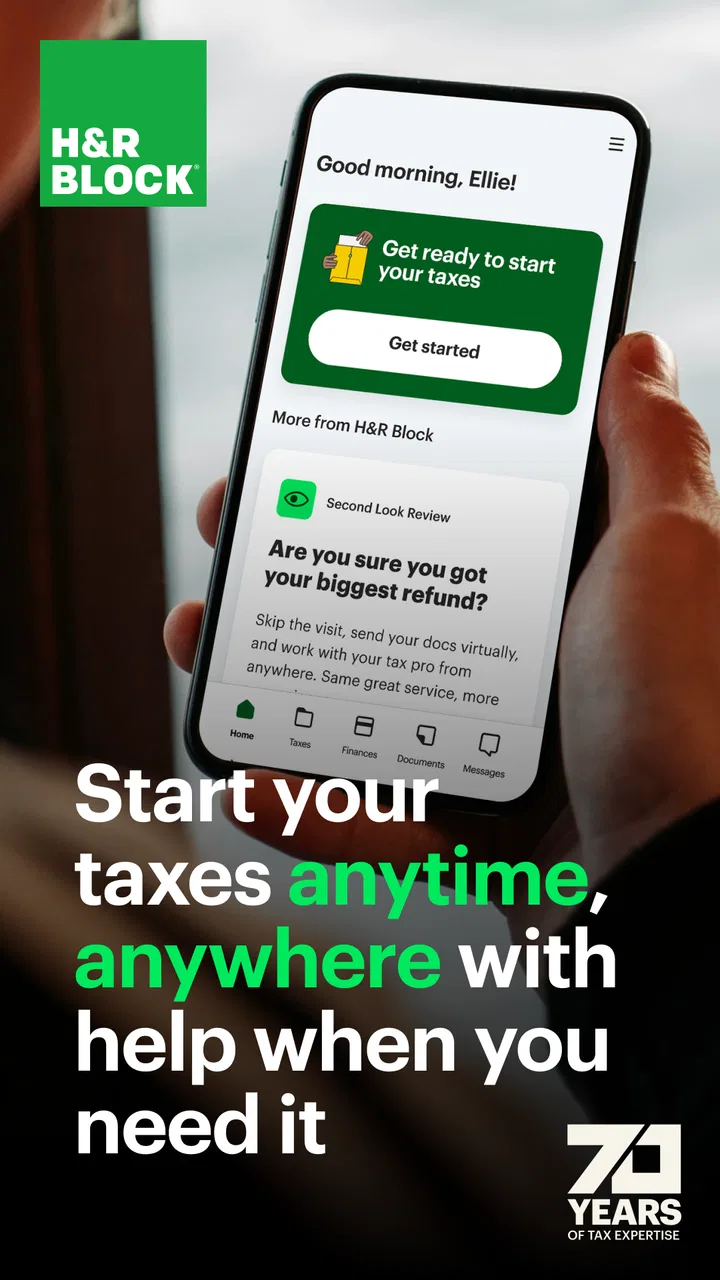
Tax preparation usually becomes stressful before the tax form itself appears. Receipts are scattered across email, paper folders, banking apps, and old messages, while questions wait for someone who understands the rules. I found MyBlock most useful in that uncomfortable middle ground: it is a finance app from H&R Block designed to make collaboration between a client and a tax professional feel less fragmented. Rather than treating it as a complete replacement for every tax task, I see it as a working space for keeping the conversation and preparation process together.
The app is free to install and is suitable for everyone from an age-rating perspective. That makes it approachable for a household member who needs to check progress or communicate with a tax professional without learning a complicated financial system. At the same time, the experience depends heavily on the kind of tax help you are receiving and on how organized your own information is. MyBlock cannot turn missing documents into complete records, and it cannot make an unclear financial situation simple by itself.
From a pile of documents to a clearer tax workflow
I’d start this section by treating the document handoff as a small process of its own: identify what each item relates to, note any uncertainty, and make clear what you need the tax professional to do next. That habit can make a shared tax workflow easier to follow, especially when paperwork arrives in bits over several weeks. From there, the next section looks at how to set expectations for the app’s pace.
You May Also Like

 Blood Strike: 2.5 Anniversary
Blood Strike’s Loadouts Turn Every Drop Into a Tactical Gamble
A close look at Blood Strike’s custom loadouts: how fast access to signature weapons reshapes its battle royale rhythm, rewards preparation, and narrows the gap between fights.

 Pandora - Music & Podcasts
Pandora’s Music Is Easy to Start, but Harder to Recover
Pandora’s strength is its low-effort path from a seed to a station. Its weak spot is how much confidence it asks you to place in connection, setup, and quiet recovery.

 8 Ball Pool
 Is Built on Rivalries, Rematches, and Routine
A close look at the rivalries, rematches, shared routines, and unanswered safety questions that turn a quick pool match into a persistent mobile community.

 Samsung Music
’s Quiet Strength Is Playing What You Already Own
Its reach comes less from spectacle than from dependable access to a personal library. That simplicity is both the app’s strongest retention engine and its ceiling.

 AccuWeather: Weather Radar
AccuWeather Review: A Quick, Clear Forecast for Everyday Decisions
For everyday plans, the best forecast is the one you can understand quickly. AccuWeather makes rain timing, radar, and local conditions easy to act on, with a few trade-offs.

 Hill Climb Racing
Why Hill Climb Racing Still Turns Crashes Into One More Run
A tiny car, a bumpy hill and one more upgrade: Hill Climb Racing keeps resurfacing because its simple chaos makes every near-miss feel personal.
More From Our News Desk



Starting with the right expectation
The first thing I would tell a friend is to think of MyBlock as a collaboration tool, not merely a calculator. Its central value is the connection between the person preparing tax information and the tax professional helping with it. That distinction matters because many people open a tax app expecting a fully guided, independent filing experience. MyBlock is better suited to someone who wants a more connected process with H&R Block support rather than a completely self-directed alternative.
That makes it particularly practical when your situation contains questions that are difficult to resolve from a checklist alone. A change in employment, a new family circumstance, self-employment paperwork, or uncertainty about which document matters can all create delays. In those moments, having a shared place for the work is more useful than repeatedly searching through messages and attachments.
I also appreciate that the app has been around since late 2011. That long presence gives it a more established feel than a brand-new finance utility, although longevity should not be confused with a perfect interface. The current version is 14.6.0, and it runs on Android 7.0 or later. For someone using an older phone, checking the operating-system requirement before planning a tax workflow is sensible.
Step one: gather information before opening the conversation
The smoothest experience begins outside the app. Before contacting a tax professional, I would collect income records, identification details, relevant receipts, and any documents connected to changes during the year. This is not busywork. A collaboration app can help organize a handoff, but it cannot compensate for a missing document when the professional needs to verify a detail.
My practical tip is to create a short list of uncertainties rather than sending a stream of disconnected questions. For example, write down which document seems incomplete, what changed since the previous filing, and which expense or income item you do not understand. That gives the tax professional a usable starting point and reduces the chance that an important question gets buried in a long exchange.
This is one of the less obvious strengths of the app’s intended workflow: it encourages the client to move from private confusion toward a shared task. The benefit is not just convenience. A clear question can prevent repeated explanations, while a vague message can create another round of waiting even when the answer is straightforward.
Step two: use the app as the shared checkpoint
Once the relationship with the tax professional is established, MyBlock becomes more valuable as a checkpoint. I would use it to keep track of what has been discussed, what still needs attention, and which part of the process is waiting on me. The exact quality of that experience depends on how actively both sides use the app, but the basic idea is strong: the client and professional should not have to reconstruct the entire history every time they return to the work.
For a realistic everyday example, imagine receiving a tax document while commuting home. Instead of leaving it in a downloads folder and hoping to remember it later, you can treat it as an item for the shared workflow: identify what it relates to, note any question attached to it, and bring it into the conversation with the professional. The important habit is to connect the document with its purpose. A file without context may still leave the recipient wondering what you expect them to do with it.
I would also avoid sending every document as soon as it appears if several belong to the same topic. Grouping related information into a concise update can make the professional’s review easier. This is a small workflow improvement, but it is the kind of detail that separates a genuinely useful collaboration tool from a simple message inbox.
Step three: make the handoff explicit
Handoffs are where tax preparation often slows down. The client assumes the professional has everything needed, while the professional is still waiting for one missing item. MyBlock is most helpful when I use direct language about the status of each item. I would distinguish between “I have sent this for review,” “I am still looking for this,” and “I need advice before I can provide this.” Those statements create different next steps and reduce guesswork.
This approach is especially useful for people who share financial responsibilities with a spouse or another household member. Instead of relying on one person’s memory, the family can keep the work visible to the people involved in the process. I would still be careful about who has access to sensitive information and avoid treating the app as a general-purpose place for unrelated personal files.
The app’s collaboration focus also makes it a better fit for clients who want professional guidance without constantly switching between a browser, email, and phone calls. That does not mean every interaction becomes instant. Tax professionals have their own workloads, and an app cannot remove the need for review. Its advantage is continuity: when a reply does arrive, it is connected to the tax task rather than isolated in a separate channel.
Step four: review before assuming the work is finished
A common mistake is to interpret a completed-looking screen as proof that every detail is correct. I would use MyBlock as a place to follow the process, but I would still read the information carefully before accepting an outcome. Names, addresses, income amounts, dependents, and unusual transactions deserve a deliberate check because a polished interface can make an unfinished review feel complete.
My preferred routine is to compare the information in the app with the original documents, then make a short list of anything that looks inconsistent. If a number seems wrong, I would ask about it rather than quietly editing around the problem. This is another useful trade-off: the app can make communication easier, but it does not replace the client’s responsibility to notice errors in their own records.
For people who are nervous about asking basic questions, the shared workflow can be reassuring. You do not need to understand every tax term before raising a concern. A plain explanation of what you received and why it seems confusing is often more useful than guessing at the correct category. In my experience, that is where a professional collaboration app can feel more human than a purely automated filing path.
What the numbers suggest about its audience
MyBlock has an average rating of 4.0 from around 122 thousand ratings, with more than 5 million installs. Those figures suggest a substantial audience and a generally positive, though not flawless, reception. I would read that as evidence that the basic idea works for many people, not as a guarantee that every user will find the workflow effortless.
The app has roughly 29 thousand written reviews, which is useful context when judging a finance product because written feedback often exposes friction that a score hides. A rating around four stars usually means the core purpose is understood and appreciated, while some users still encounter problems involving timing, communication, account context, or the limits of what an app can solve. I would keep that balance in mind before relying on it for a time-sensitive tax deadline.
Where the workflow breaks down
The biggest weakness is that collaboration only works when the handoff is clear on both sides. If a client uploads or sends information without explaining what it is, the professional may need to ask follow-up questions. If the client expects a response immediately, the waiting period can feel like an app failure even when the real issue is human availability.
Another limitation is scope. Someone looking for a completely independent tax filing experience may prefer a dedicated self-filing product with a more visibly guided question-and-answer path. MyBlock’s value is strongest when H&R Block’s professional involvement is part of the plan. If you do not want that relationship, the app may feel like an unnecessary layer rather than a solution.
I would also skip it as my main tool if my records are spread across several people and nobody has agreed who is responsible for the final information. The app can support coordination, but it cannot establish household organization by itself. In that situation, a simple shared document or folder used before the tax conversation may be the better first step, followed by MyBlock once the material is understandable.
Privacy deserves practical attention too. Tax information is sensitive, so I would use a device protected by a lock screen, keep the operating system reasonably current, and avoid discussing confidential details in casual public settings. These habits are not special features of MyBlock; they are sensible safeguards whenever personal financial information is handled on a phone.
Who should use it, and who should choose something else
I would recommend MyBlock to someone who is already working with an H&R Block tax professional and wants a more organized way to exchange information, ask questions, and follow the preparation process. It is also a reasonable choice for a household that tends to lose track of email attachments or forget which documents have already been discussed.
I would be more cautious recommending it to a confident filer who wants maximum control and minimal professional interaction. That person may find a conventional self-service tax app more direct. Likewise, someone with a very unusual financial situation should not assume that a smooth mobile workflow means the underlying questions are simple. The right professional input still matters, and the app should support that conversation rather than encourage false confidence.
The free price lowers the barrier to trying it, but “free” should not be interpreted as meaning that every tax service connected to the broader H&R Block experience is automatically without cost. I would separate the app’s availability from any professional or filing service decisions and read those terms carefully before committing to a paid path.
My final assessment after following the full journey
After looking at the experience as a complete workflow—from gathering documents to asking questions, handing information to a professional, and checking the result—I see MyBlock as a practical bridge rather than a magic tax solution. Its best contribution is reducing the distance between the client’s messy starting point and the professional’s review. That can save mental effort, especially when the alternative is a trail of scattered messages and uncertain status updates.
The app is not the right answer for everyone. It will not make disorganized records disappear, guarantee immediate replies, or replace careful review. Still, for the person it targets, those limitations are manageable when expectations are realistic. I would install it when I wanted H&R Block’s tax assistance to feel more connected and easier to follow, particularly during a year with several documents or questions.
My recommendation is simple: use MyBlock as a deliberate handoff tool, not as a substitute for understanding your own tax information. Prepare your questions, label the context around each document, confirm what remains outstanding, and review the final details yourself. Used that way, this finance app from H&R Block earns its place in the process and offers a calmer alternative to managing every tax conversation through disconnected channels.
For readers deciding whether to try it, the practical answer is that MyBlock is most worthwhile when a tax professional is already part of the plan. It is free, accessible on Android 7.0 and newer, and carries an Everyone age rating, so the basic entry point is uncomplicated. The real test is not whether it can do every tax task alone, but whether it helps you and your professional move from scattered information to a shared, reviewable outcome.
FAQs for MyBlock
01What is MyBlock and what can I use it for?
MyBlock is a comprehensive app designed for managing your tax-related tasks efficiently. It allows users to upload tax documents, track refunds, and communicate with tax professionals directly from their mobile device. This app is particularly useful for individuals who want to stay organized during tax season and ensure all their tax needs are met efficiently.
02Is MyBlock free to use, or are there any hidden charges?
MyBlock is free to download and use for basic features such as document storage and refund tracking. However, certain advanced services, like consultations with tax experts or additional tax filing support, may incur charges. It's recommended to review the app's pricing details in the app store or within the app settings for a clear understanding of potential costs.
03How secure is my personal information on MyBlock?
Security is a top priority for MyBlock. The app employs industry-standard encryption to protect your sensitive information. Additionally, it offers secure login features, such as two-factor authentication, to ensure that only you can access your account. Users can feel confident that their personal and financial information is safeguarded against unauthorized access.
04Can I use MyBlock to file my taxes directly from the app?
Yes, MyBlock offers features that allow you to file your taxes directly through the app. You can upload necessary documents, fill out forms, and submit your tax return all within the app. For those who need assistance, professional help is also available, making the tax filing process seamless and convenient.
05What devices are compatible with MyBlock?
MyBlock is compatible with both Android and iOS devices, making it accessible to a wide range of users. It supports the latest versions of these operating systems to ensure optimal performance and security. Always check the app store for specific compatibility details with your device before downloading.
Pros
- User-friendly interface for easy navigation.
- Comprehensive tax filing options available.
- Secure document storage and sharing.
- Access to live chat support for assistance.
- Personalized tax advice based on user data.
Cons
- Limited features in the free version.
- Occasional app crashes reported by users.
- Some features require an internet connection.
- Complex tax scenarios may need expert help.
- Ads can be intrusive during app use.

MyBlock
Gallery